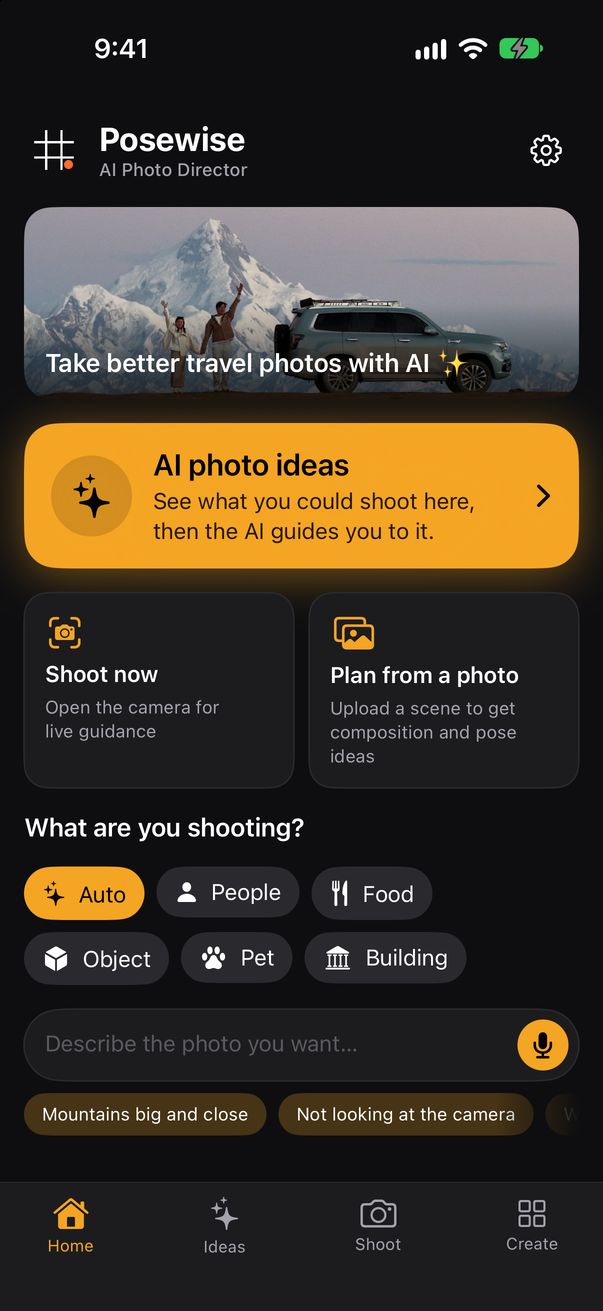
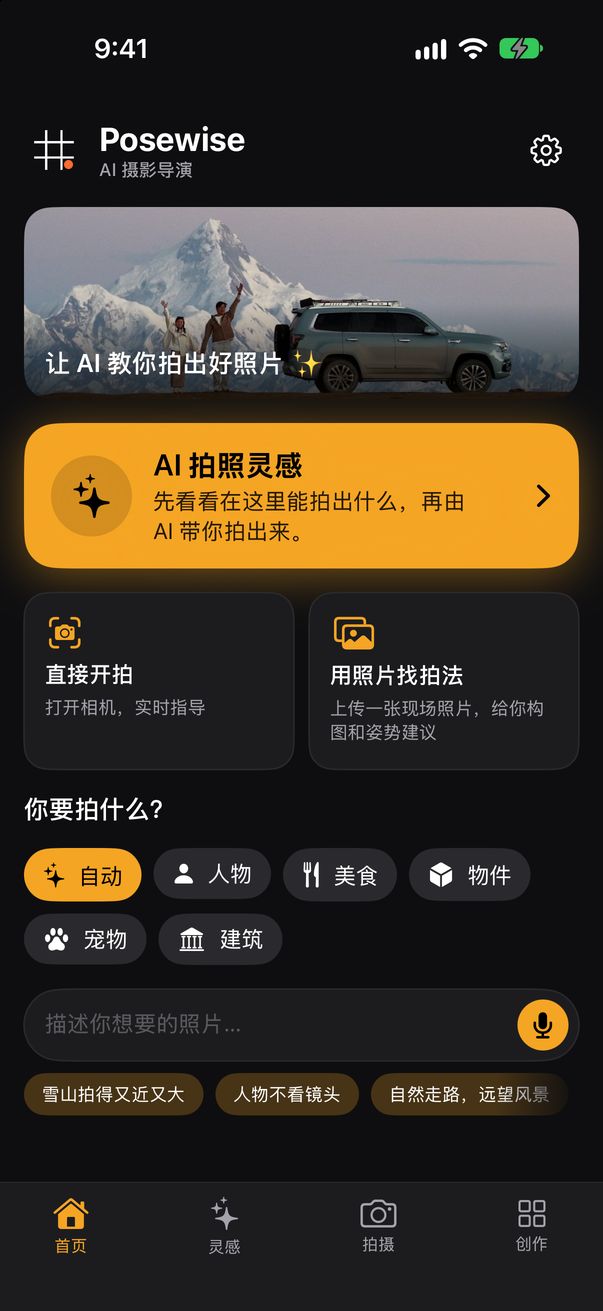
Posewise Get the app下载
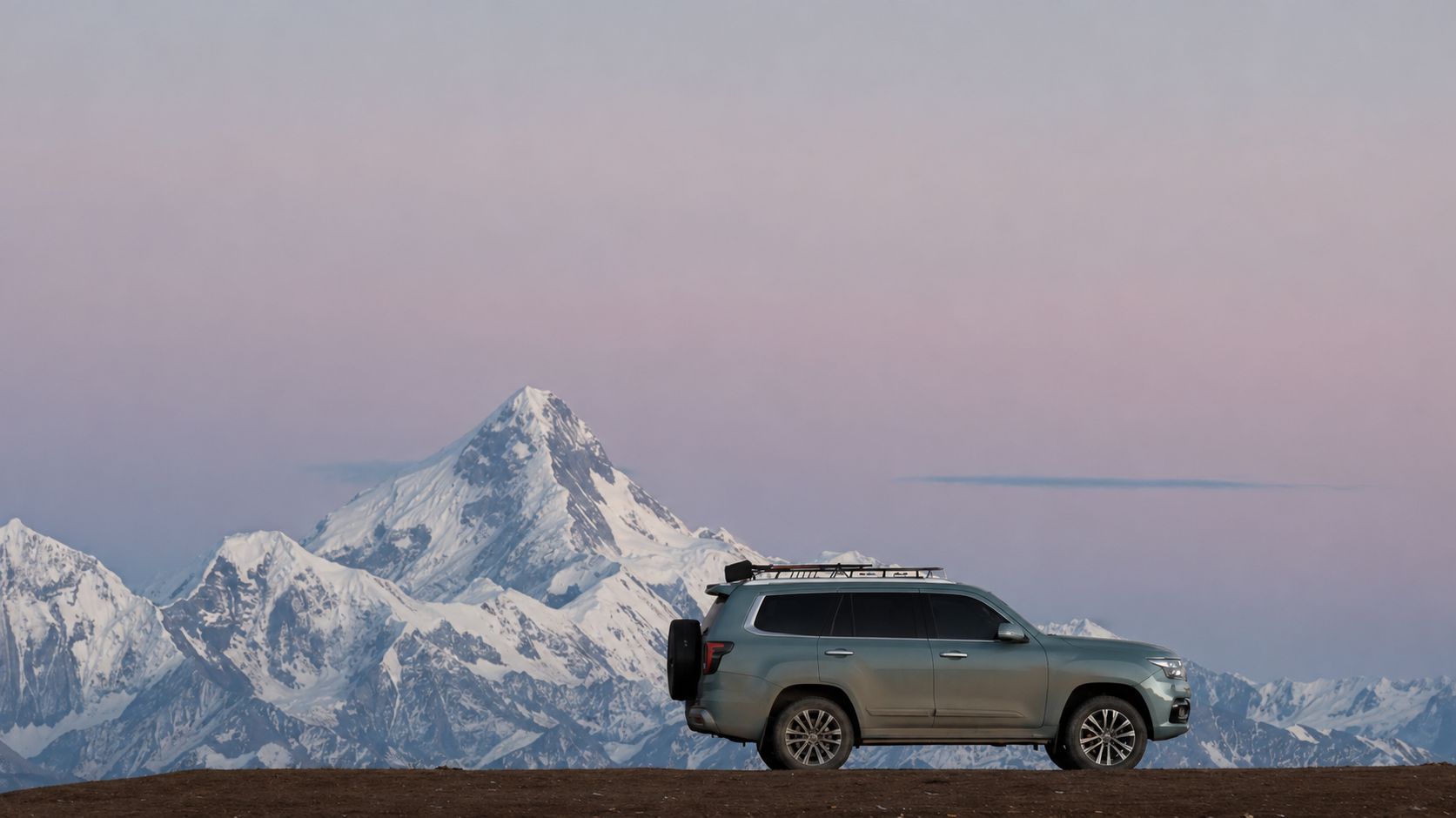
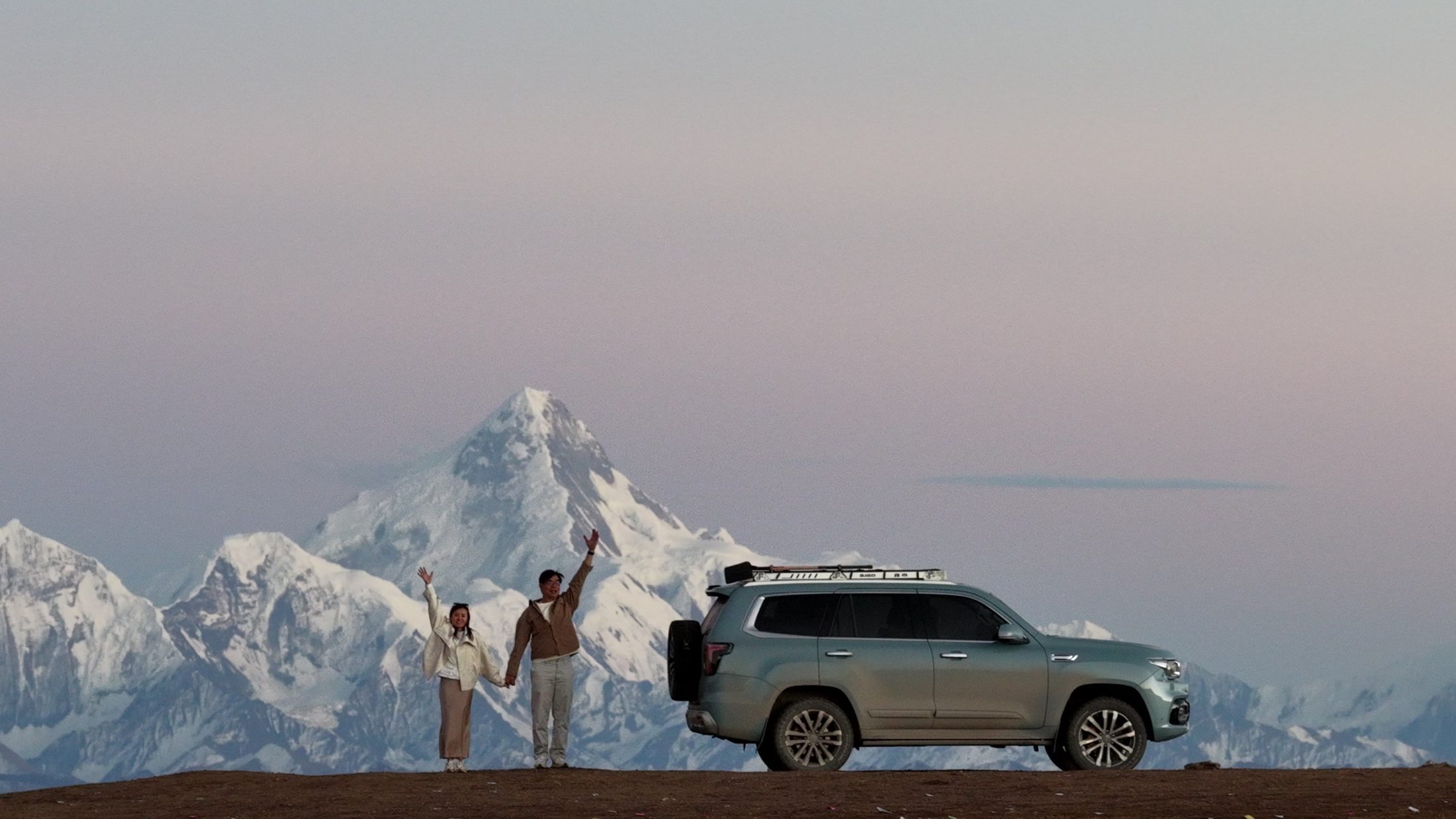
Two travellers wave beside their car on the Gaoersi Mountain pass, with a snow peak behind them at dusk
AI photo director for iPhoneiPhone 上的 AI 摄影导演

See your shot before you take it.先看到成片,再去拍。

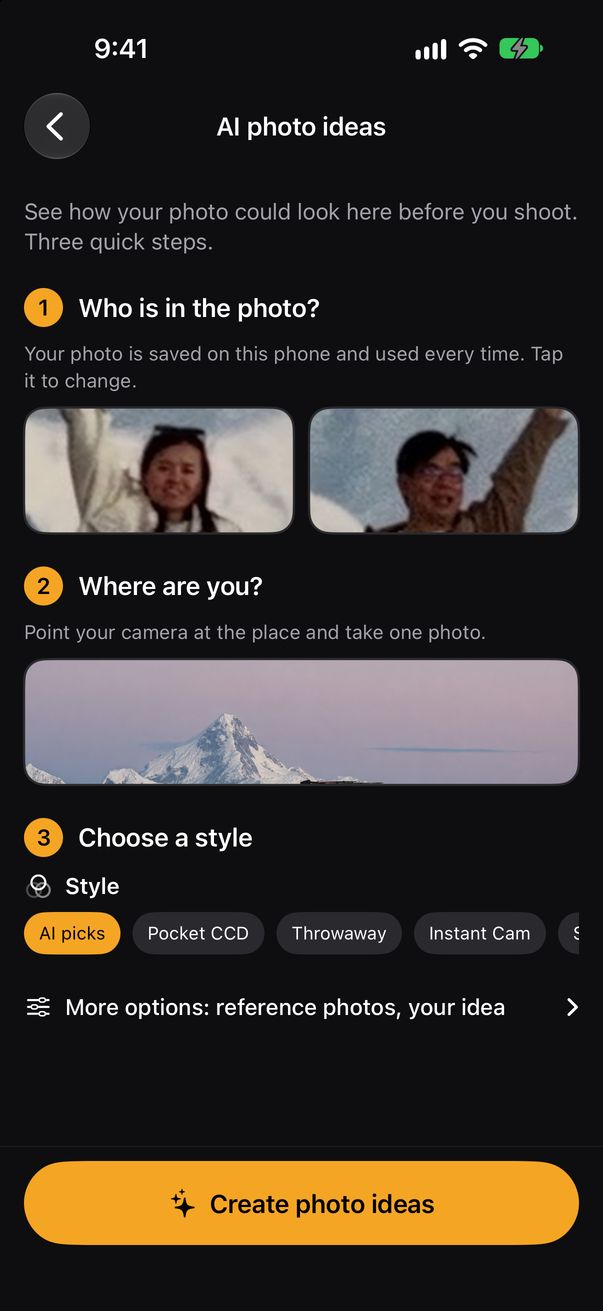
Open the app where you are. Posewise shows you four photos of yourself there, then directs the photographer and you until the shot is right.在景点打开 app,Posewise 先给你看 4 张你在这里的照片,再一步步指导摄影师和你,直到拍对为止。

01 / 04

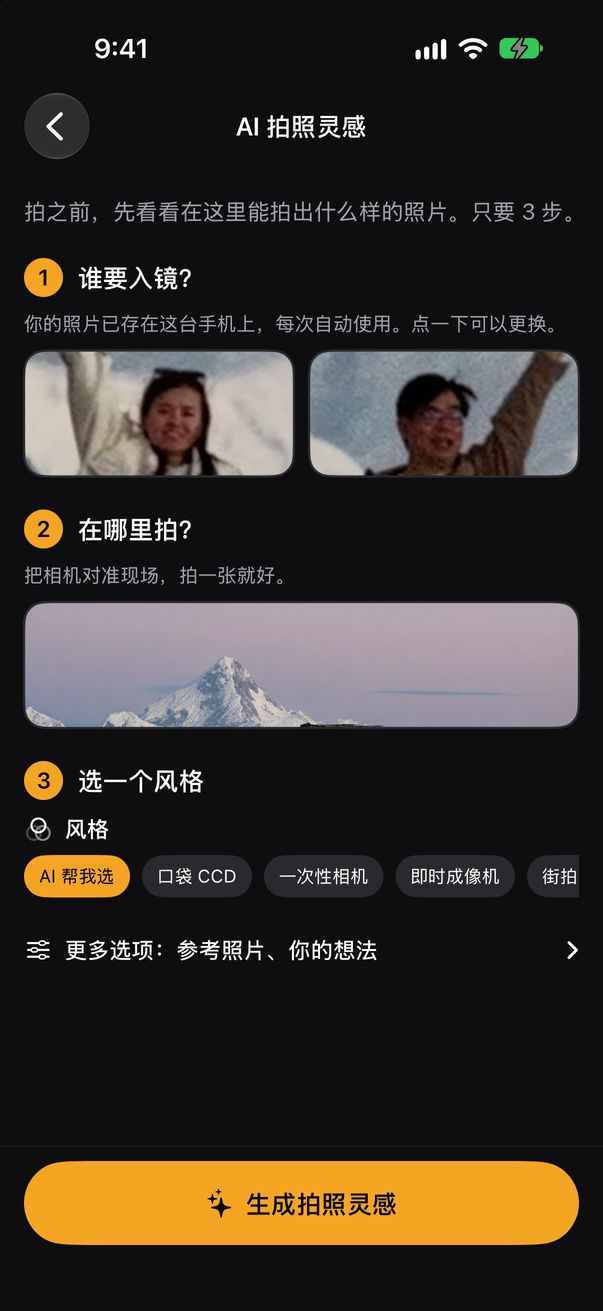
Snap the place. Add a selfie.拍下场景,加一张自拍。

One photo of where you are, one of who's in the picture. Couples and friends work too.一张你所在的地方,一张要入镜的人。情侣、朋友一起拍也可以。

Your selfie stays on your phone, so next time it's one tap.自拍只存在你的手机里,下次一点就好。

02 / 04

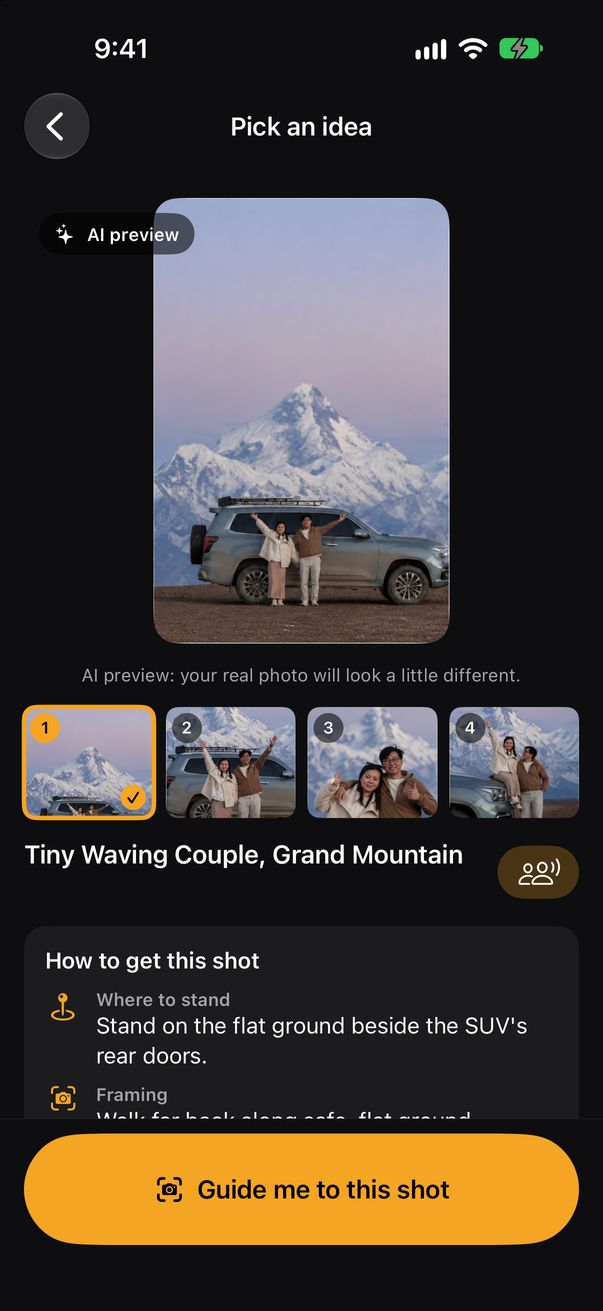
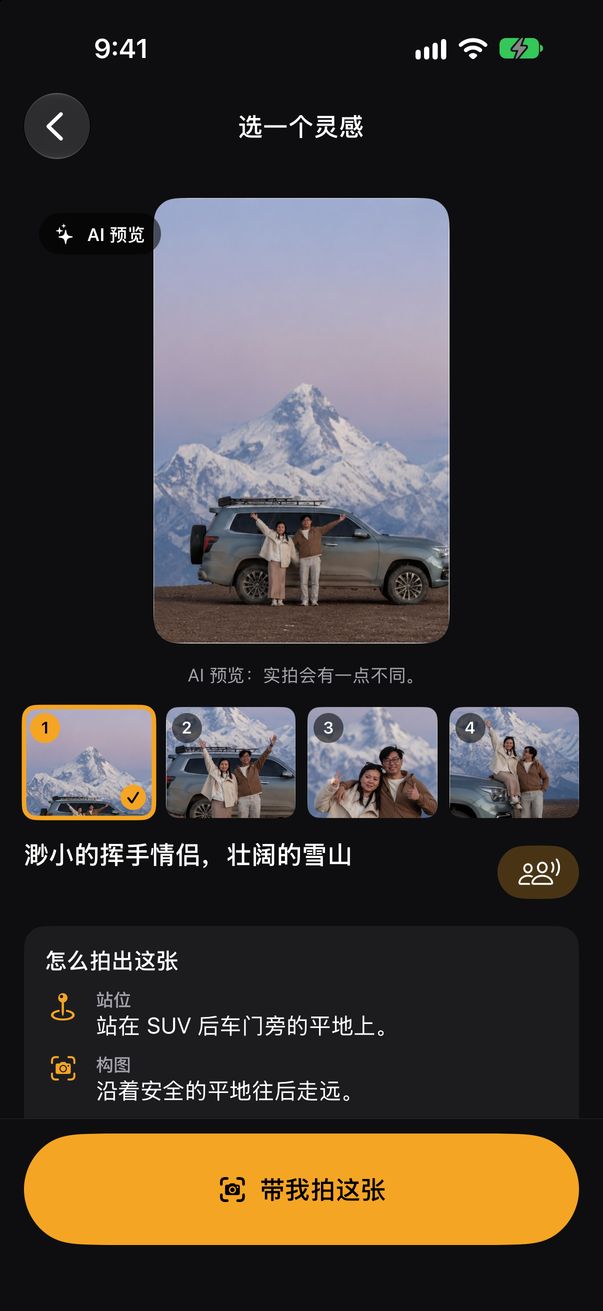
See four ideas with you in them.先看 4 张你在这里的照片。

AI places you two in this exact scene: tiny under the peak, waving by the car, a close-up, or sitting on the bonnet.AI 把你们放进眼前这个场景:雪山下的小小身影、车旁挥手、近景合照,或坐在车头。

Pick the one you like before anyone presses the shutter.还没按快门,就先选好要哪一张。

03 / 04

It directs both sides of the camera.镜头前后,一起指导。

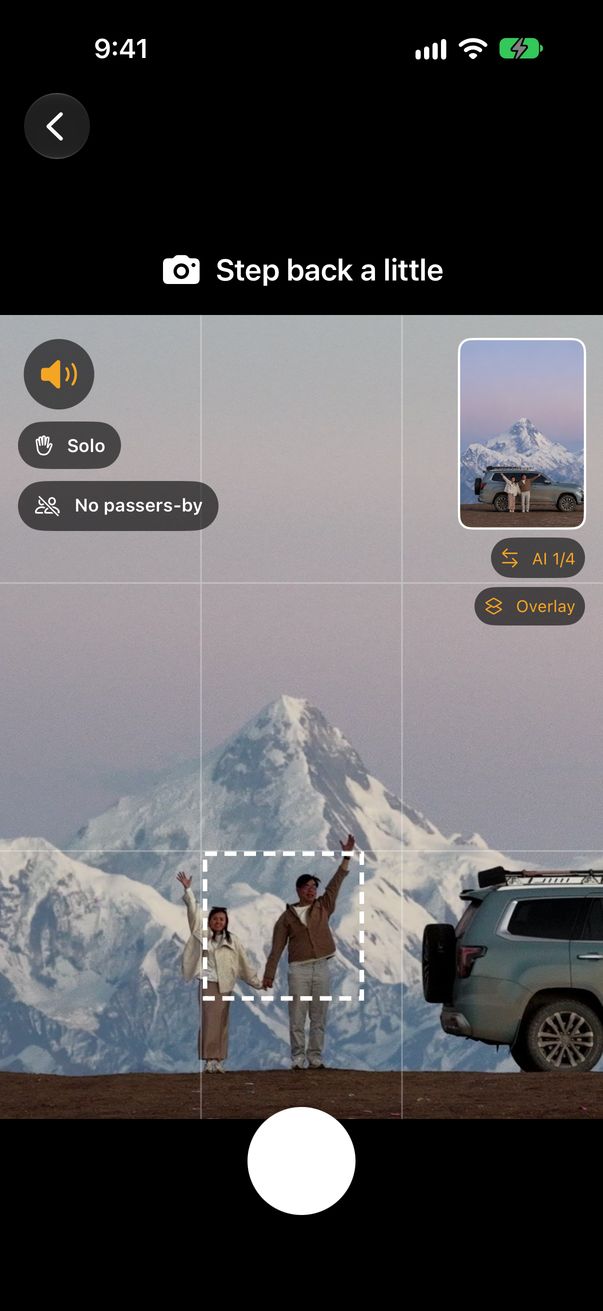
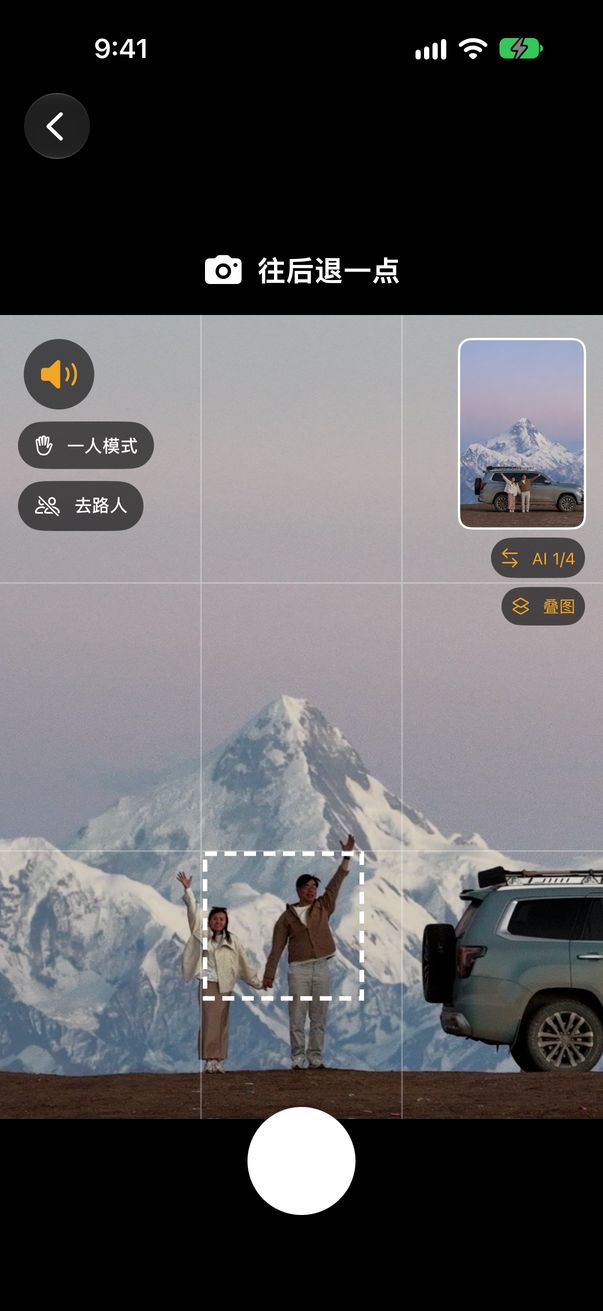
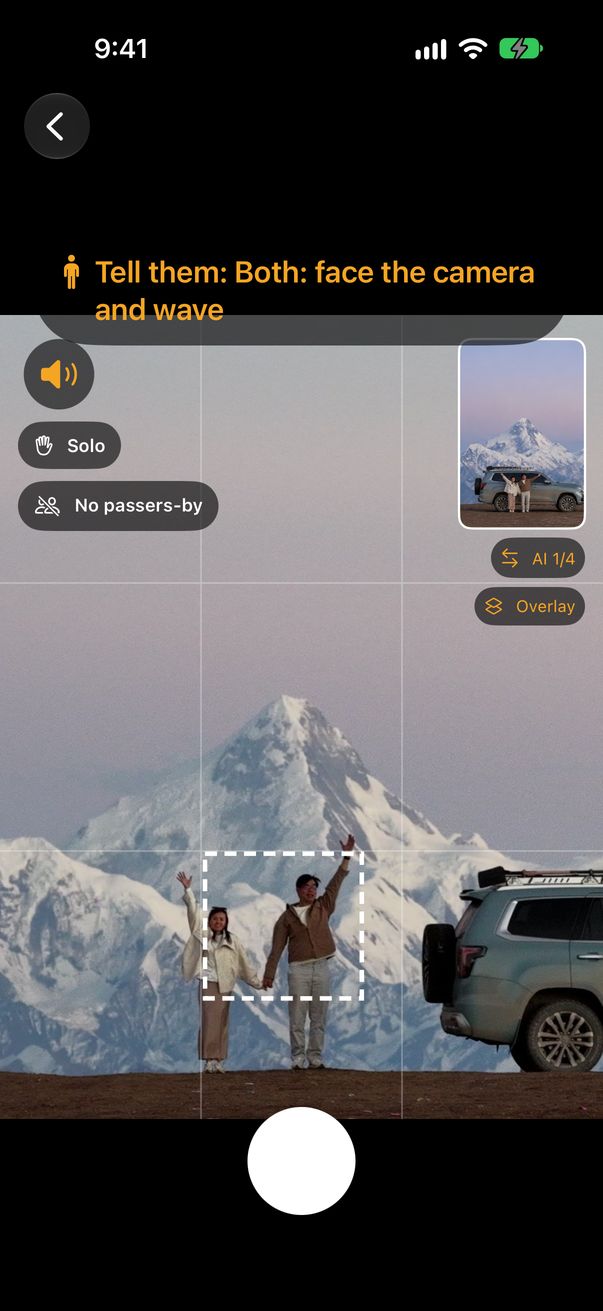
  • Photographer摄影师Walk far back along safe, flat ground沿着安全的平地往后走远
  • Photographer摄影师Hold the phone upright at chest height手机竖拿,举到胸口高度
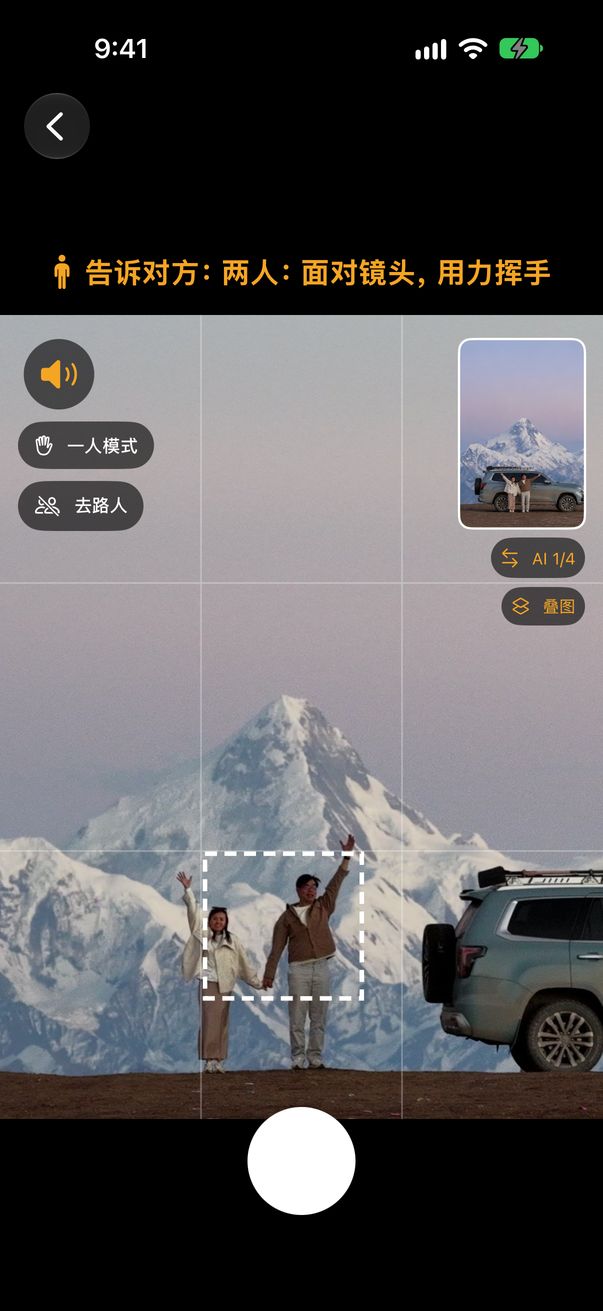
  • You two你们俩Face the camera and wave面对镜头,用力挥手
  • The moment按快门Both hands at their highest: countdown, click两人手举到最高:倒数,拍下

Real directions from the app for this idea这些都是 app 为这个灵感给出的真实指导

04 / 04

Then you get the real photo.然后,你拿到真正的照片。

Not an AI image. This is the photo we took at the pass.这不是 AI 图,是我们在山口真正拍下的照片。
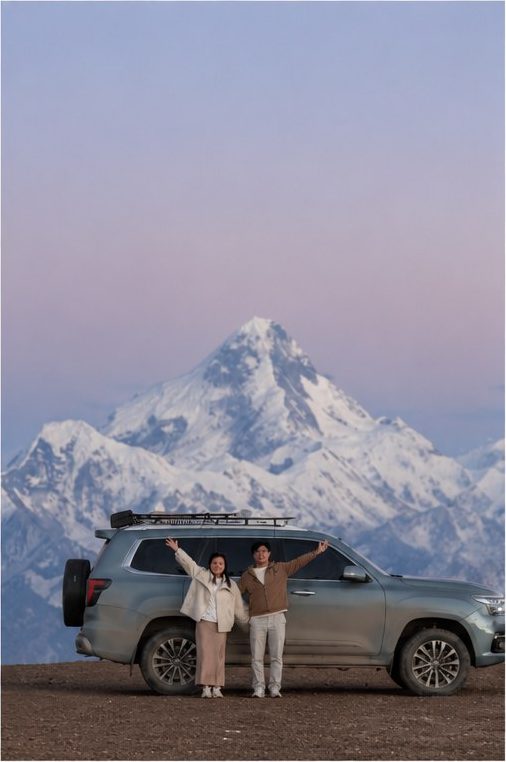
GAOERSI MOUNTAIN PASS · SICHUAN · 4,412 M · DUSK
Idea vs. real shot灵感 vs 实拍

The AI shows the idea. You take the photo.AI 给你灵感,照片由你来拍。

AI samples are previews, so the light, faces and details will differ from your real photo. That's the point: you see the composition first, then shoot it for real.AI 样张只是预览,光线、样貌和细节都会跟实拍不同。重点是先看到构图,再真的去拍出来。

AI preview: the couple waving small beside the car under the peak
AI · idea 4 of 4第 4 个灵感
The real photo: the couple waving beside the car under the peak
REAL · taken with the directions照着指导拍下
Also in the appapp 里还有

From the first frame to the post.从构图到发文,一路帮你。

  • Three shot plans for anything什么都能拍的 3 个方案

    People, food, pets, buildings. Snap the scene and get three ways to shoot it, with where to stand and which lens to use.人像、美食、宠物、建筑都可以。拍下场景,就有 3 种拍法,告诉你站哪里、用哪个镜头。

  • Film looks and lens styles胶片风格和镜头效果

    Our own film looks, grain and lens effects, plus background blur you can adjust after the shot. AI can pick the look for you.原创胶片色调、颗粒和镜头效果,拍完还能调背景虚化。也可以让 AI 帮你选。

  • Story-style editor故事感编辑器

    Retouch, reshape, stickers, text, frames, collages, and photo-to-video with your own music and auto subtitles.修图、美颜、贴纸、文字、相框、拼图,还能配上你自己的音乐做成短视频,自动加字幕。

  • Captions written for youAI 帮你写文案

    Ready-to-post captions and hashtags in the language you choose, based on what's really in the photo.根据照片内容写好可直接发的文案和标签,语言由你选。

  • Share the recipe分享拍法

    Send a link with the pose, angle and look, so a friend can shoot the same photo in their own place.把姿势、角度和色调做成一个链接,朋友也能在他的地方拍同款。

  • 14 languages14 种语言

    English, 简体中文, 繁體中文, 日本語, 한국어, ไทย, Bahasa Melayu, Bahasa Indonesia, Tiếng Việt, Español, Français, Deutsch, Português and العربية.English、简体中文、繁體中文、日本語、한국어、ไทย、Bahasa Melayu、Bahasa Indonesia、Tiếng Việt、Español、Français、Deutsch、Português、العربية。

Your photos你的照片

Most of it never leaves your phone.大部分都不离开你的手机。

On device手机上处理Live guidance, pose detection, filters, beauty and editing run on your iPhone.实时指导、姿势识别、滤镜、美颜和修图都在 iPhone 上完成。
7 days7 天Photos sent for AI ideas or captions are deleted automatically after 7 days.为 AI 灵感或文案上传的照片,7 天后自动删除。
No account不用注册No sign-up, no ads, no selling data. Location is removed before upload.不用注册、没有广告、不卖数据,上传前去掉位置信息。

Read the privacy policy阅读隐私政策

FAQ

Questions people ask常见问题

Are the AI ideas real photos?AI 灵感是真的照片吗?

No. They are AI previews of how the shot could look, made from your scene and selfie. Use them to choose a composition, then take the real photo with the live directions.不是。它们是根据你的场景和自拍生成的 AI 预览,用来先选构图,真正的照片还是照着实时指导去拍。

Who gets directed, me or the photographer?指导的是我,还是摄影师?

Both. The photographer sees where to stand, how high to hold the phone and when to press. The people in the photo get pose and timing cues, by voice or on screen. Shooting alone? Use the countdown or a hand sign.两边都有。摄影师会知道站哪里、手机举多高、什么时候按快门;被拍的人会收到姿势和时机提示,用语音或屏幕显示。一个人拍?可以用倒数或手势快门。

Do I need an account?需要注册账号吗?

No. There is no sign-up. AI features have a daily limit per phone to keep the service fair.不需要。没有注册。为了公平,AI 功能每台手机每天有使用上限。

Which iPhones work?哪些 iPhone 可以用?

iPhone with iOS 17 or later. Posewise checks which lenses your phone has and only suggests the ones you can use.iOS 17 或以上的 iPhone。Posewise 会检测你手机有哪些镜头,只推荐你能用的。

What photos are not allowed?哪些照片不能用?

Anything illegal or harmful, including sexual content involving minors, explicit images without consent, and photos of people taken without their consent where it's required. See the Terms of Use.任何违法或有害的内容都不行,包括涉及未成年人的色情内容、未经同意的露骨图片,以及在需要同意时未经同意拍摄他人。详见使用条款。

Is there an Android version?有安卓版吗?

iPhone comes first. Android is planned.先推出 iPhone 版,安卓版在计划中。

More help and contact更多帮助和联系方式

Get Posewise下载 Posewise

Coming soon to the App Store.即将登陆 App Store。

Posewise is in beta on iPhone. Want to try it early? Email us and we'll send you an invite.Posewise 正在 iPhone 上测试。想抢先试用?发邮件给我们,我们会寄邀请给你。

[email protected] iOS 17+